


Never Outdated
Screenshots regenerate when your UI changes. Documentation that stays true to your product, automatically.
Set up CI
 Heroshot
free, open-source screenshot automation
Your UI changes constantly. Heroshot updates every screenshot in your docs with a single command.
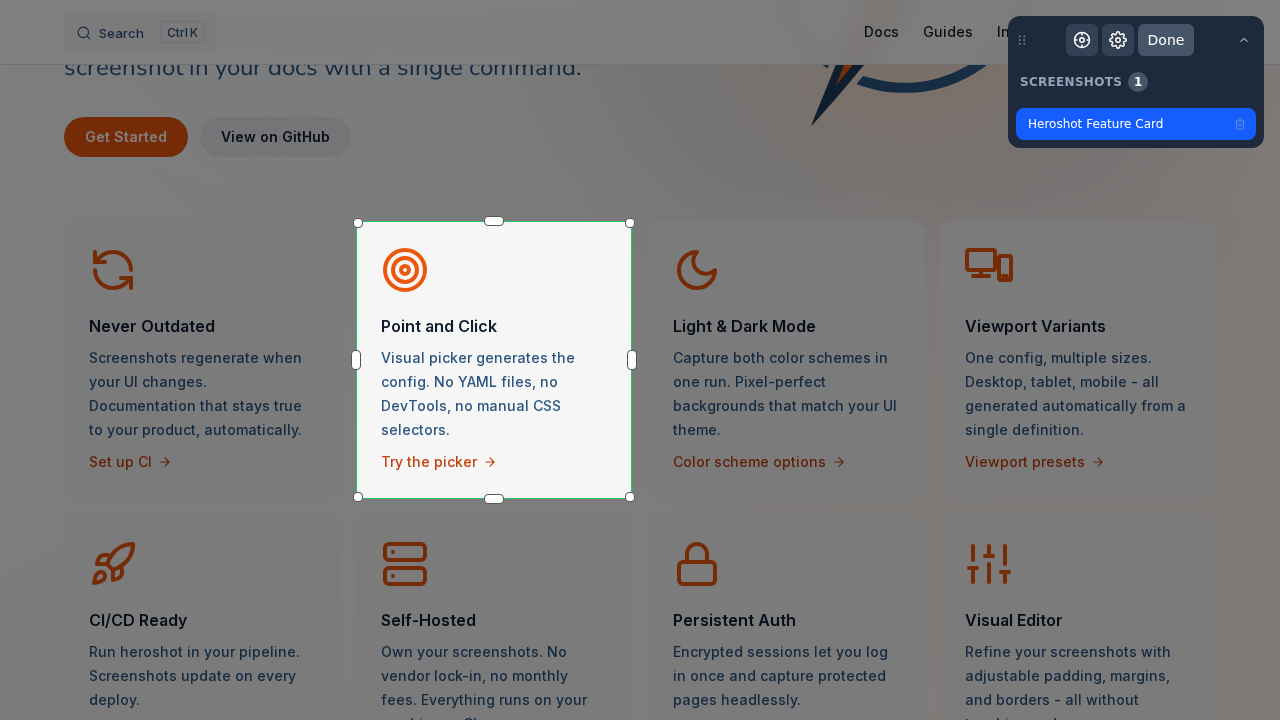
Visit any URL, select any element
This screenshot of the hero section above is captured by Heroshot - desktop, tablet, mobile, light and dark.
Resize your browser or toggle the theme - the matching variant loads automatically.

That's 6 image variants from a single config entry - always in sync with the live site.
Install
npm install heroshot
heroshot
Configure
plugins: [
  ['heroshot/plugins/docusaurus', {}]
]
Use
import { Heroshot } from 'heroshot/docusaurus';

<Heroshot name="dashboard" alt="Dashboard" />Install Heroshot with npx heroshot, use the visual picker to select elements you want to capture, and run npx heroshot anytime to regenerate all screenshots. You can also set it up in CI/CD to update screenshots automatically on every deploy.
Yes, Heroshot is completely free and open-source under the MIT license. There are no usage limits, no accounts required, and no paid tiers. Everything runs locally on your machine or CI.
Heroshot works with VitePress, Docusaurus, MkDocs, Sphinx, GitBook, and any static site generator. It also provides React and Vue components for automatic light/dark mode switching.
Heroshot supports persistent authentication. Run npx heroshot --login to open a browser, log into your site manually, then Heroshot encrypts and saves your session. Future captures will use this session automatically, even in headless CI environments. Learn more.
Yes, set colorScheme to "both" in your config, and Heroshot generates separate light and dark variants in a single run. The React/Vue components automatically show the right variant based on the user's theme preference. See color scheme options.
Add a workflow that runs npx heroshot after your site builds. Heroshot provides a ready-to-use GitHub Actions workflow that captures screenshots, commits changes, and creates a PR automatically. Works with any CI provider.
Use the viewports option in your config or pass --viewports via CLI. Heroshot supports presets like desktop, tablet, mobile, or custom dimensions. One config entry generates all viewport variants automatically.
Yes, Heroshot includes an MCP server that lets AI coding assistants capture and update screenshots directly. Claude Code, Cursor, Windsurf, and GitHub Copilot can all use Heroshot through the Model Context Protocol.
Run npx heroshot locally to regenerate all screenshots, or set up CI automation to update them on every deploy. Screenshots are stored as regular image files in your project, so changes show up in git diffs for easy review.
Heroshot is a CLI tool that automates documentation screenshots. You define what to capture once using a visual picker, then regenerate all screenshots with one command. It uses Playwright under the hood for reliable, cross-browser captures.


